

Reception and nursing
Department board
Every open arrival across units and lanes, ordered by the priority your clinicians record, then by arrival time. The kiosk’s “people ahead” uses the same order.
Urgent care
Walk-ins check in at the kiosk, nurses triage, clinicians see the patient, and every visit is billed or claimed at the desk.
Film · Echo Kiosk
 Film coming soon
What an urgent care clinic needs, and where each part lives in Echo One.
From the front door to the waiting room. Each screen asks for only what it needs, and staff are one tap away.
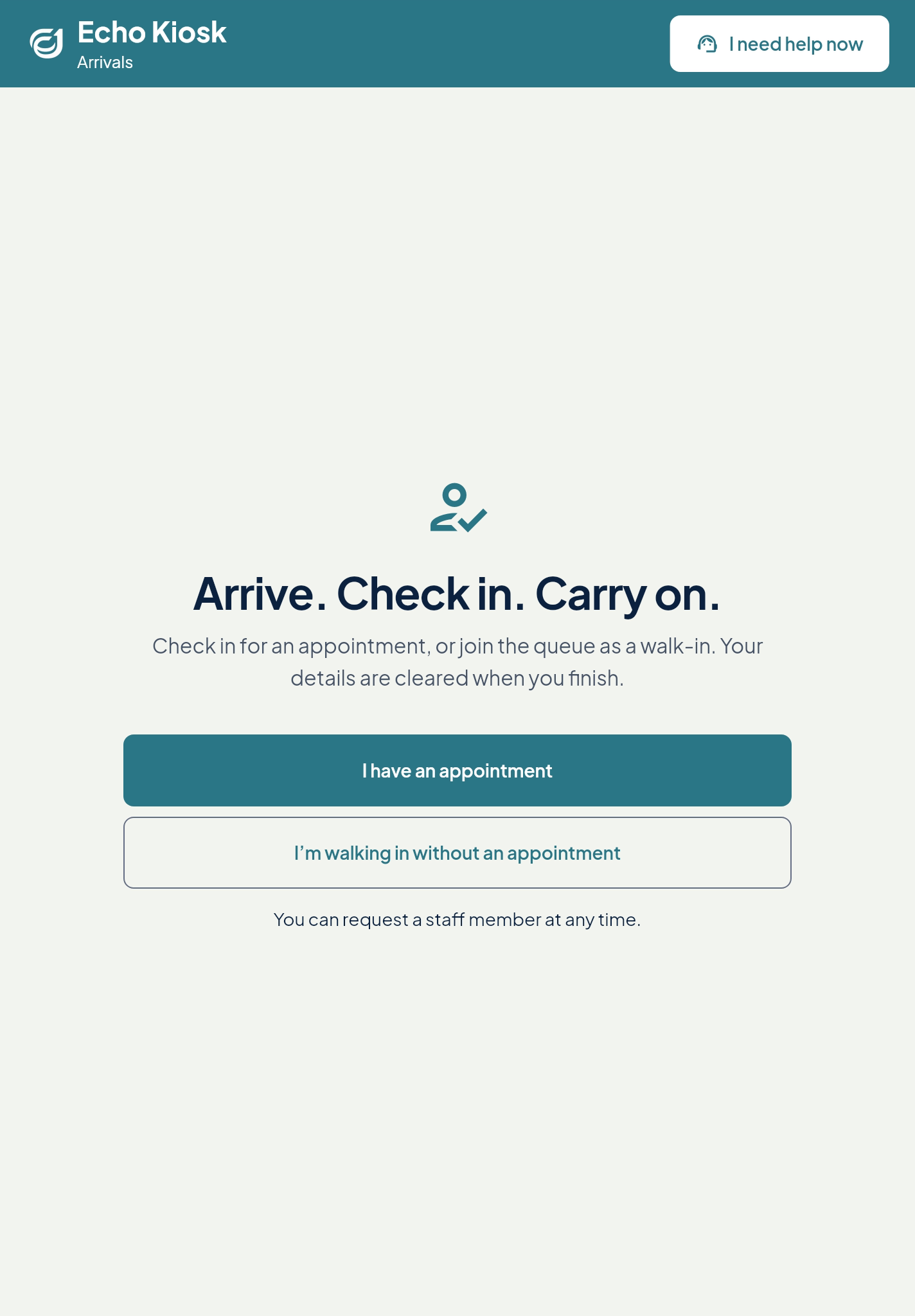
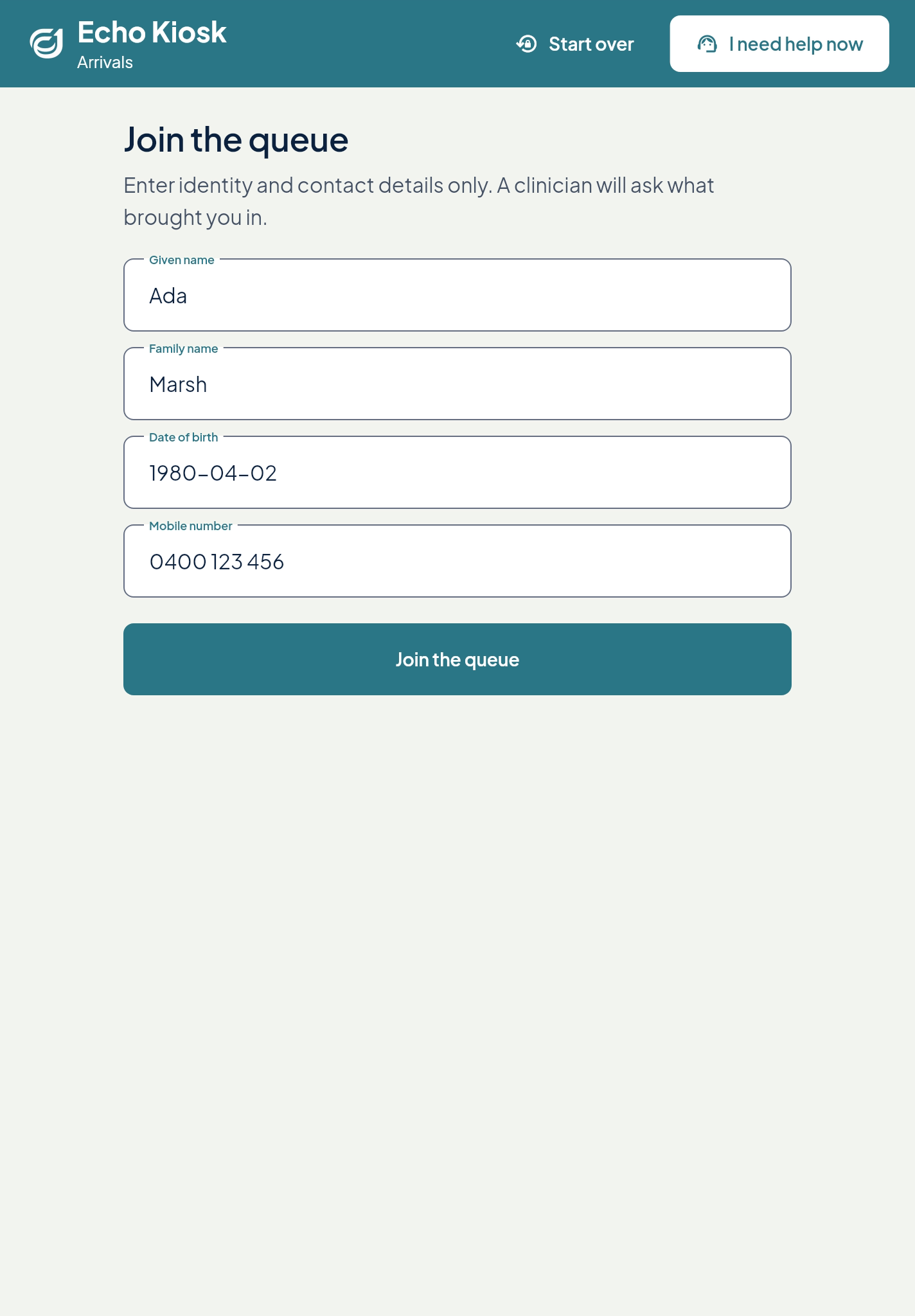
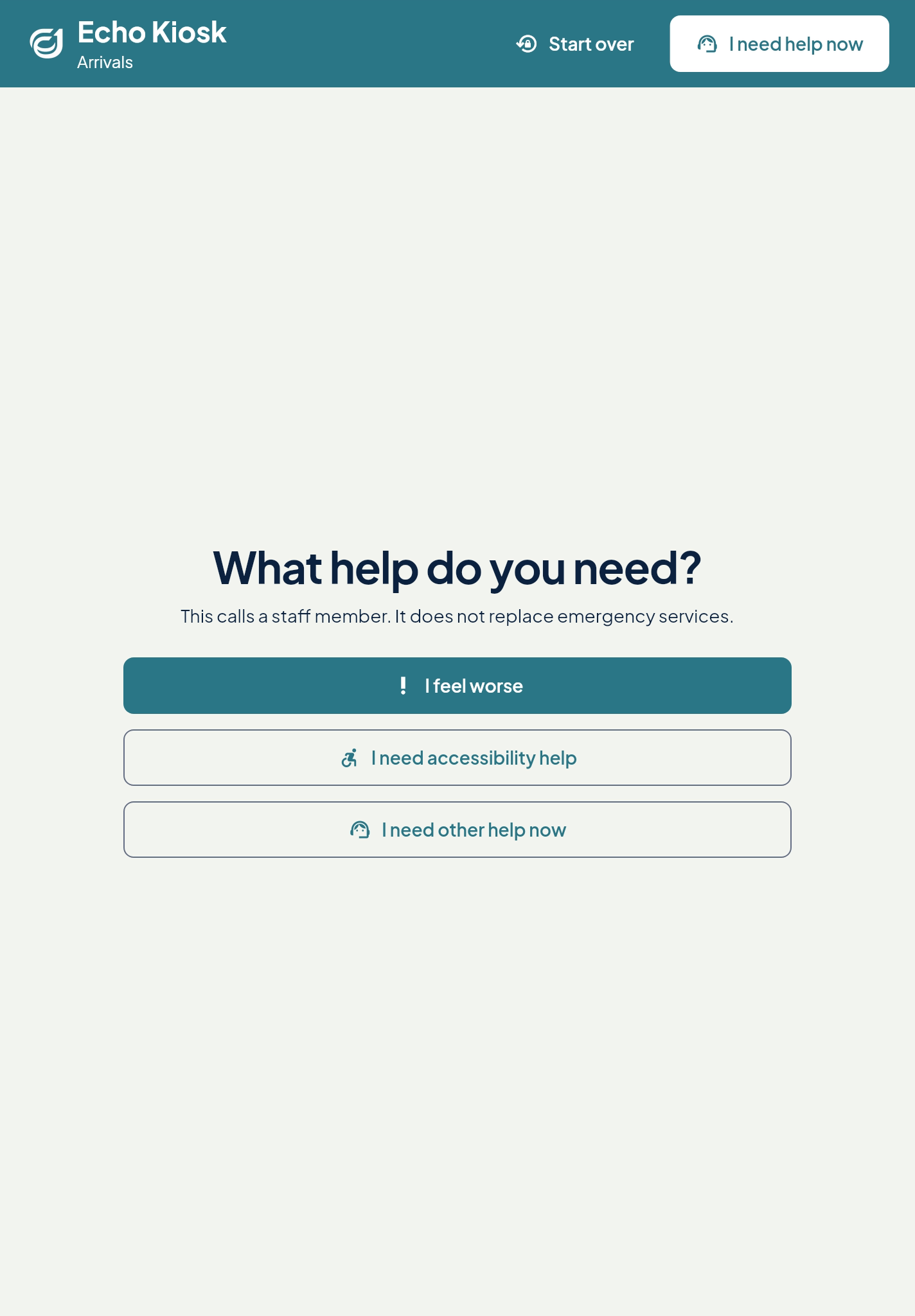
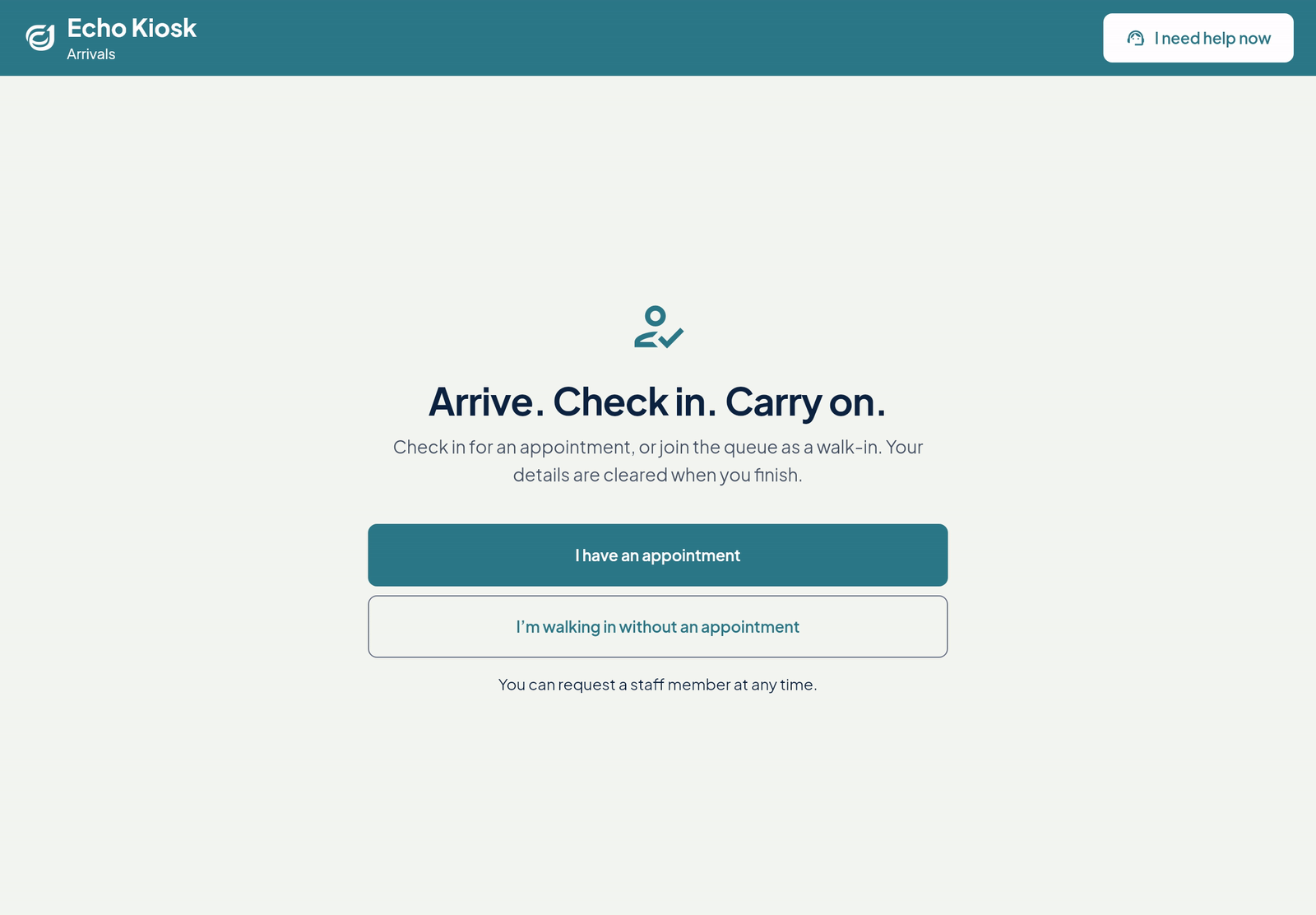
The first screen asks one question: do you have an appointment, or are you walking in? A button to call staff sits at the top of every screen.
On screen: “I have an appointment · I’m walking in”
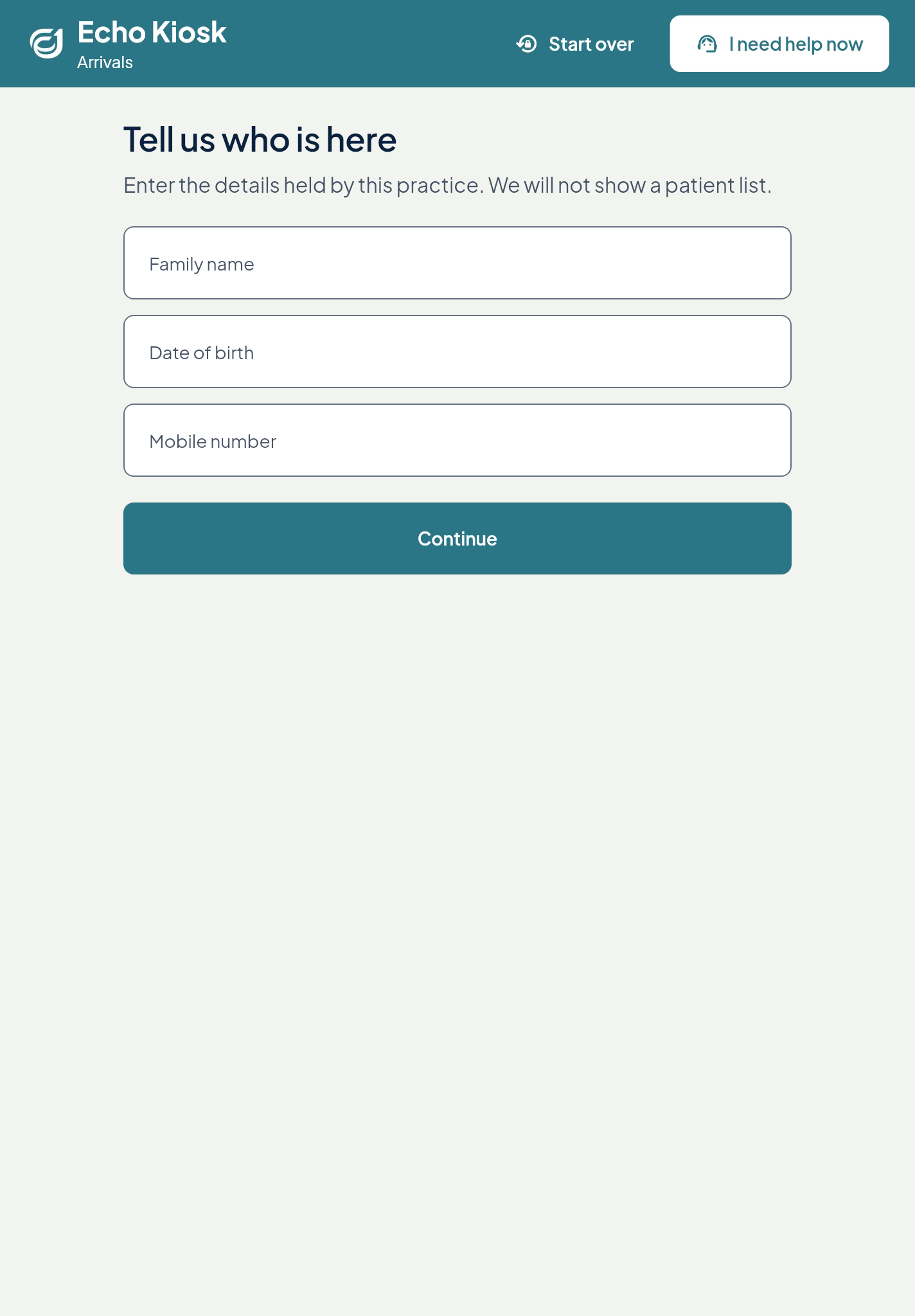
Family name, date of birth and mobile, as the practice holds them. It takes a few seconds.
On screen: “Enter your details as the practice has them”
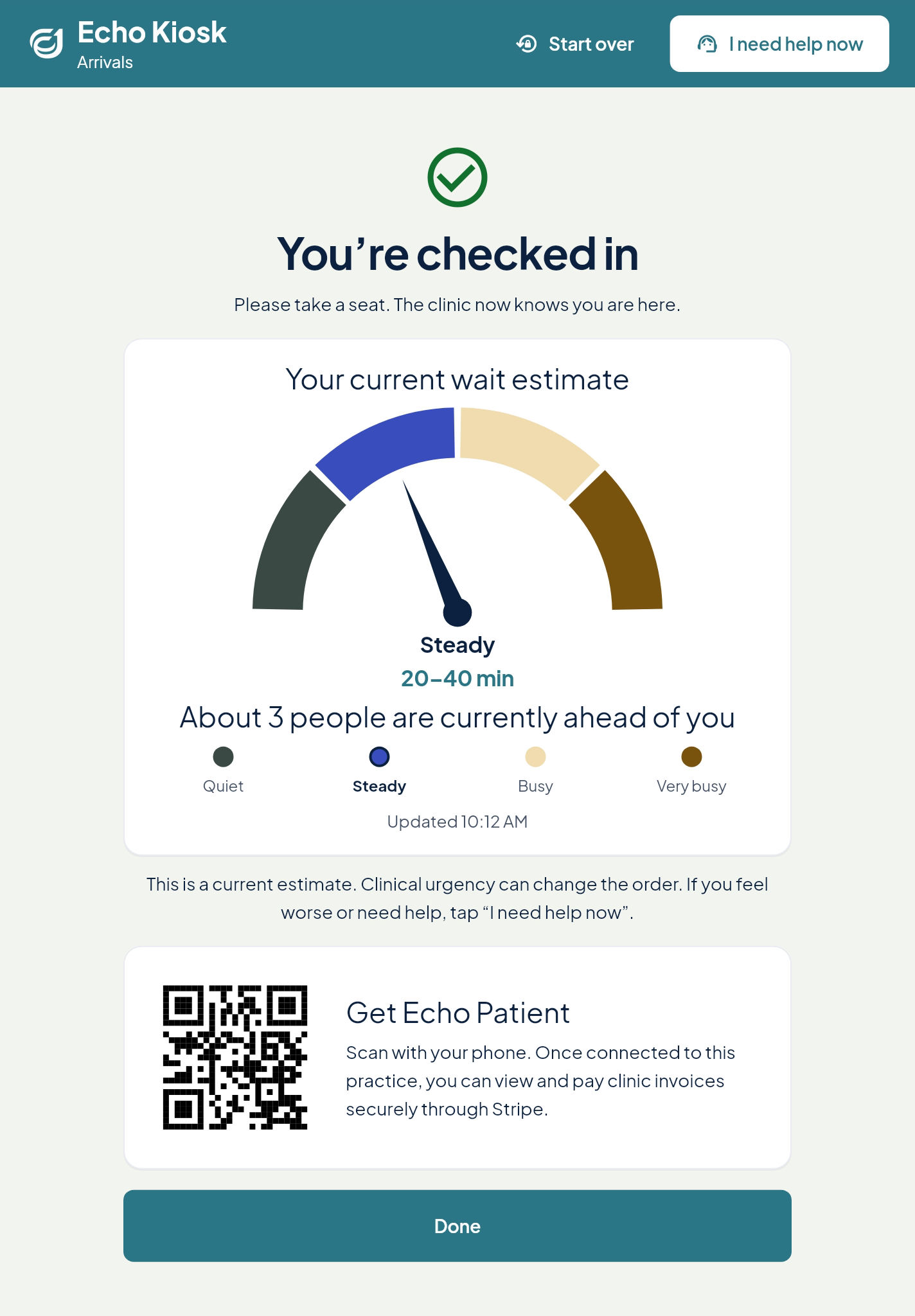
The person sees that the clinic knows they are here, with a wait range, how many people are ahead and how busy it is. Then the screen clears.
On screen: “You’re checked in. Clinical urgency can change the order.”
No appointment? Identity and contact details only. If a match needs checking, reception steps in.
On screen: “Join the queue”
Feeling worse, or need accessibility help? One tap calls staff, and they see the call straight away.
On screen: “Staff are on their way.”
The same arrival screen works on a landscape tablet, for desks and walls.
On screen: “Appointment · Walk-in · Call staff”
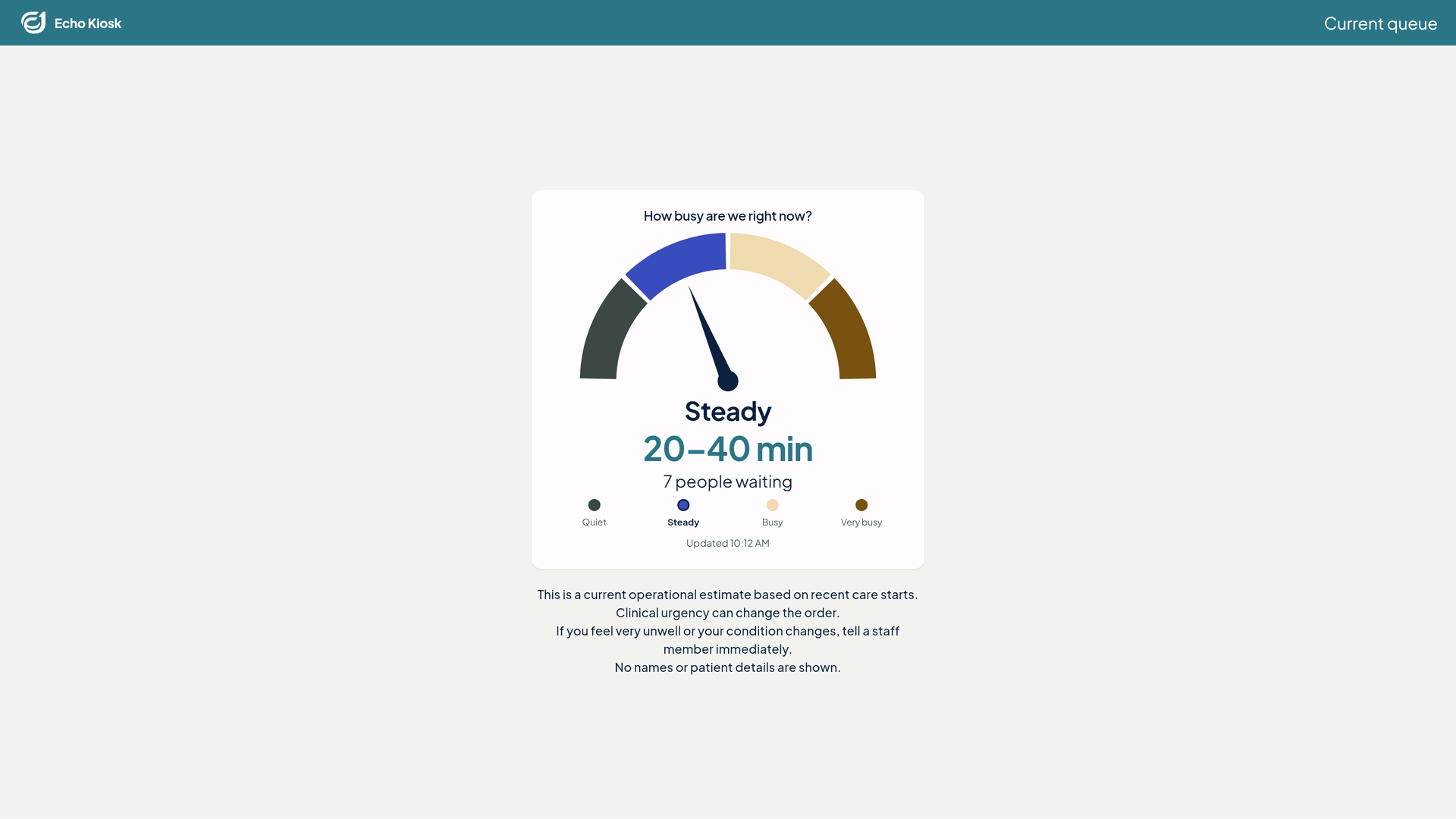
A TV in the waiting room shows how busy the clinic is, the wait range and how many are waiting. It runs on its own secure device login.
On screen: “Tell staff if you feel very unwell.”
SOSEvery kiosk and waiting-room screen reminds people to call the local emergency number in an emergency, or tell staff if they feel very unwell.
Kiosk and desk arrivals send a label to the Zebra printer at reception. Check-in carries on while it prints, so the line keeps moving.
SAMPLE, Demo
DOB 01 Jan 1980F
ID ••••4821
Your ticket
K7Q-4
Main Rooms
Identity labels, wristbands and queue tickets. Sample data.
One screen for clinician waits, practice slides and, for urgent care, how busy the clinic is. Each practice chooses what it shows.
Main RoomsToday
Initial care
Busy
Usual wait 20–40 min · 6 waiting
Clinical urgency can change the order. Tell staff if you feel very unwell.
Demonstration names and figures. The slides are from the starter library every practice gets.
Kiosk, front-desk and Echo Patient arrivals all land in the same queue. Your staff see it on the department board, in the order your clinicians set.
Reception and nursing
Every open arrival across units and lanes, ordered by the priority your clinicians record, then by arrival time. The kiosk’s “people ahead” uses the same order.
Nurses and practitioners
The triage category a nurse records sets each arrival’s place, then arrival time.
Whoever is nearest
A call from the kiosk reaches staff straight away.
Nursing
Hand over a unit’s patients at shift change, with each patient’s handover note and a named receiving nurse.
Other parts of Echo One an urgent care clinic uses after the front door.
People who use Echo Patient can check in from the car park and join the same queue.
The AI receptionist answers in the practice’s own words and books the time the caller agrees to.
AI receptionistSee which room each visit is in, and start the consult when the clinician is ready.
See someone by video when they cannot come in, from the same record.
TelehealthDraft a referral and see doctors from the address book ranked by rules. The clinician chooses.
For hospital-based urgent care: admit a patient and hand the queue to the named responsible clinician.
HospitalsNarrated walkthroughs of the people the kiosk hands over to.
 Film coming soon
Fridges, vaccines, recalls and care plans: a nurse's day in one place.
Start at cold chain. Every vaccine fridge sits here with its safe range and last
reading, so the morning check is recorded in one place.
Open an out-of-range event and you see the peak temperature and each lot that was
inside, every one awaiting your decision.
Stock on hand shows quantities, earliest expiry and supplier. Anything under its
minimum sits at the top with an order ready for you to raise.
Child health lists children whose immunisation or health-check window has closed,
and whether the family was reminded. It shows what this practice has recorded.
On a record, the immunisation history holds each dose with date, batch, site and who
gave it, plus doses reported elsewhere or declined.
To record a dose, you enter vaccine, dose number, site and route, then pick the lot
from your own stock.
Given in clinic keeps what the practice administered separate from what is
prescribed, including doses not given and the reason.
Care plans show agreed goals in plain language, review dates, recurring activities,
the allied health team and the practice's own visit count.
At review, the plan opens already filled in. You update what changed and record the
outcome, and each saved revision stays in the history.
Programmes lists each group programme with its status, enrolments against capacity,
waitlist, session count, facilitator and start date.
Open one and you get its intake, sessions and location, with the roster of enrolled
and waitlisted patients and the next step for each.
The recall list shows who is due back, the reason, who owns it and when, with
overdue ones marked.
One step queues reminders once you confirm. The confirmation states plainly who is
skipped, such as opt-outs or patients without a mobile number.
Join the Echo One waiting list at echo-one.health.
Download the captions (VTT)Next
Tell us how your front door works today. Registering interest is not a commitment to purchase.