One question box for your day, your patients and how Echo works. The answer comes back from your practice’s own records, with where it came from. When the next step is a form, Ask Echo gathers what the form needs and opens it for you to finish.
Ask about a patient, a result or your dayWho am I seeing this morning?Send
In one line
It answers from the record. It asks when it isn’t sure. You make the call.
Watch
A morning with Ask Echo, in 85 seconds.
Film · Narrated · Captioned · 1:25
A morning with Ask Echo
Read the transcript
This is Ask Echo. One question box for your day, your patients, and how Echo works.
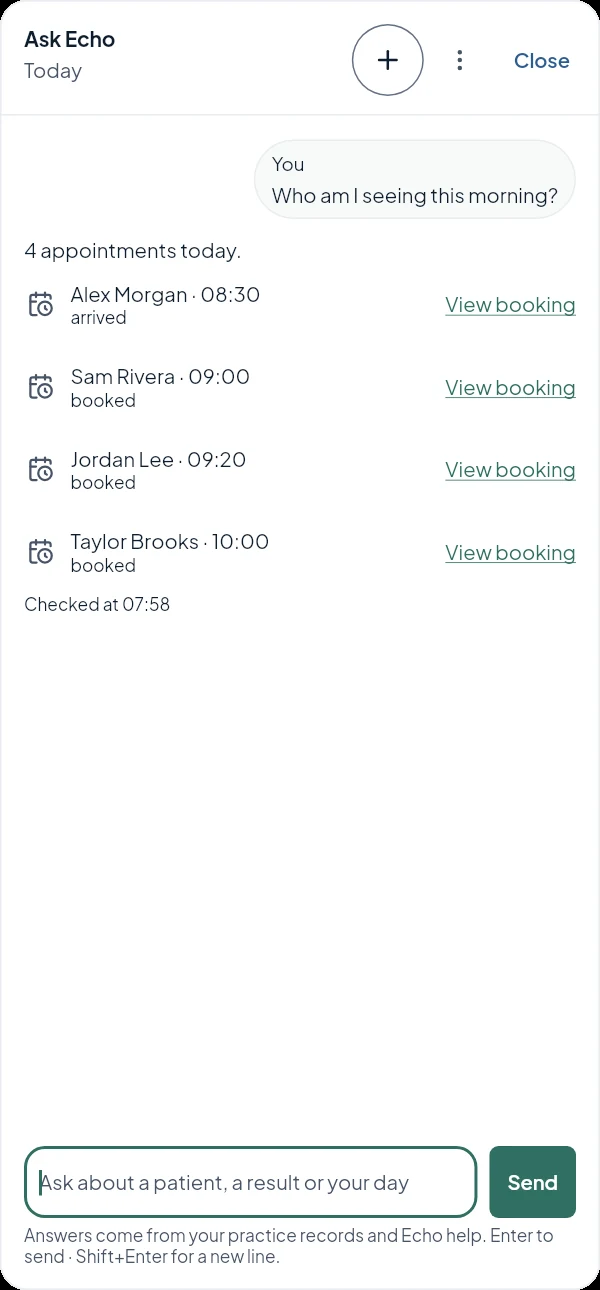
Who am I seeing this morning? Four people, in order, straight from the appointment book, with who has already arrived.
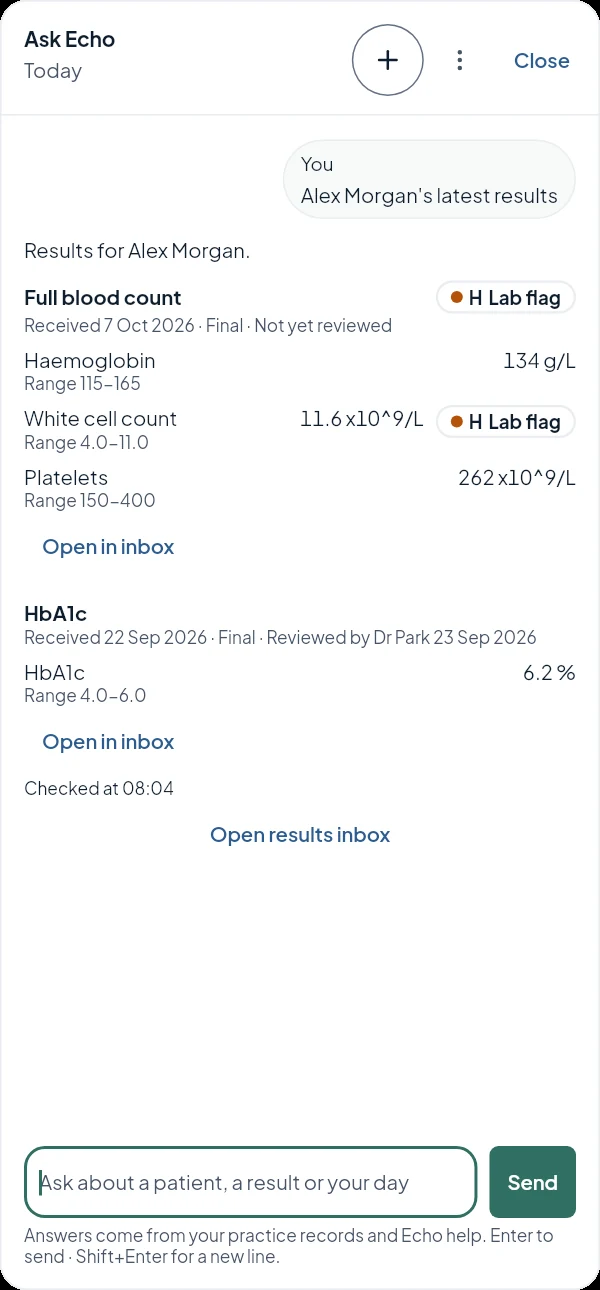
Results come back with the values in the answer, exactly as the laboratory sent them, with the laboratory’s own flags. What they mean stays the clinician’s call.
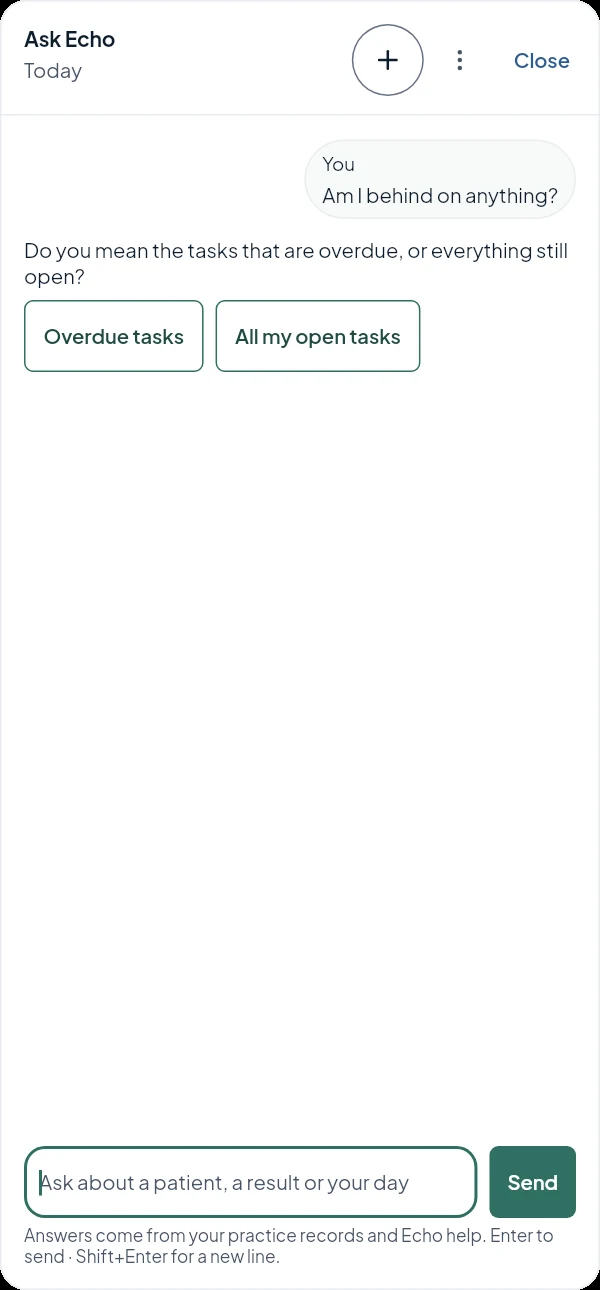
Am I behind on anything? That could mean two things. So Ask Echo asks, with both answers as buttons.
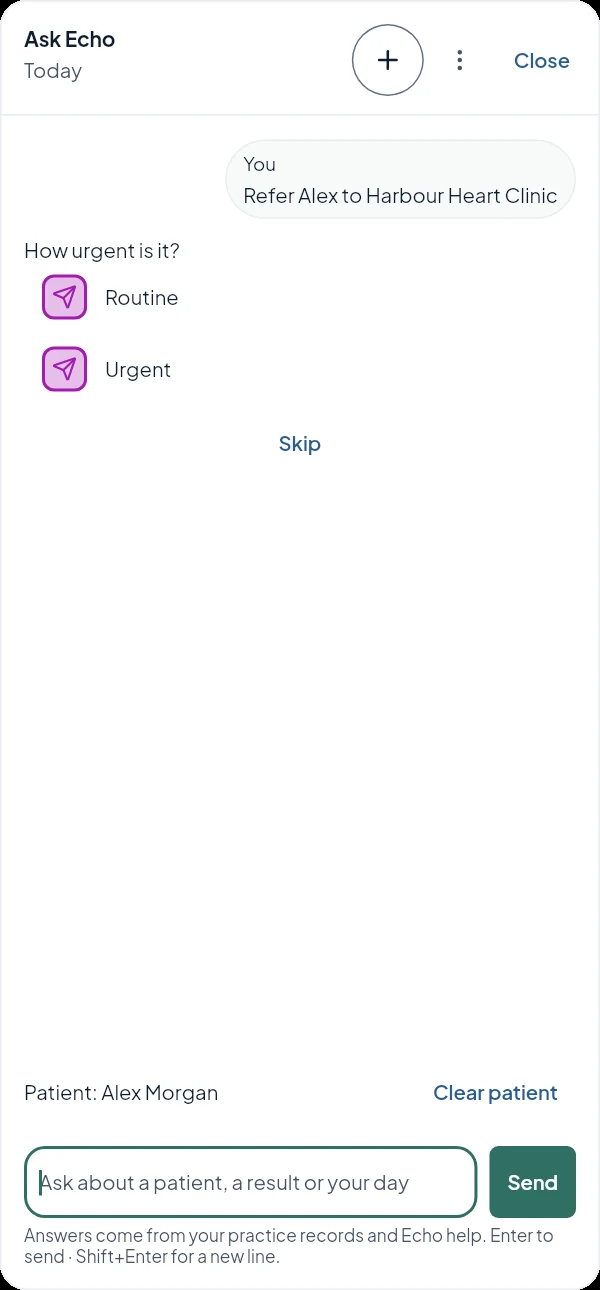
A referral, one question at a time: reason, specialty, recipient and urgency. Then the form opens with your answers in it. Nothing is sent until you send it.
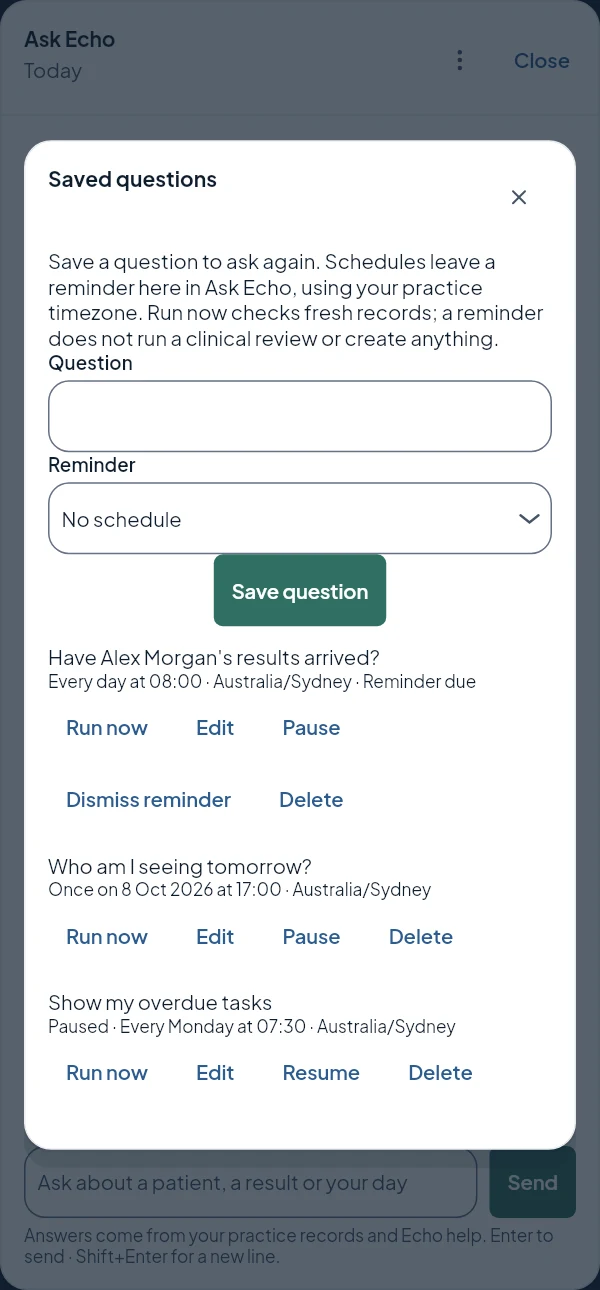
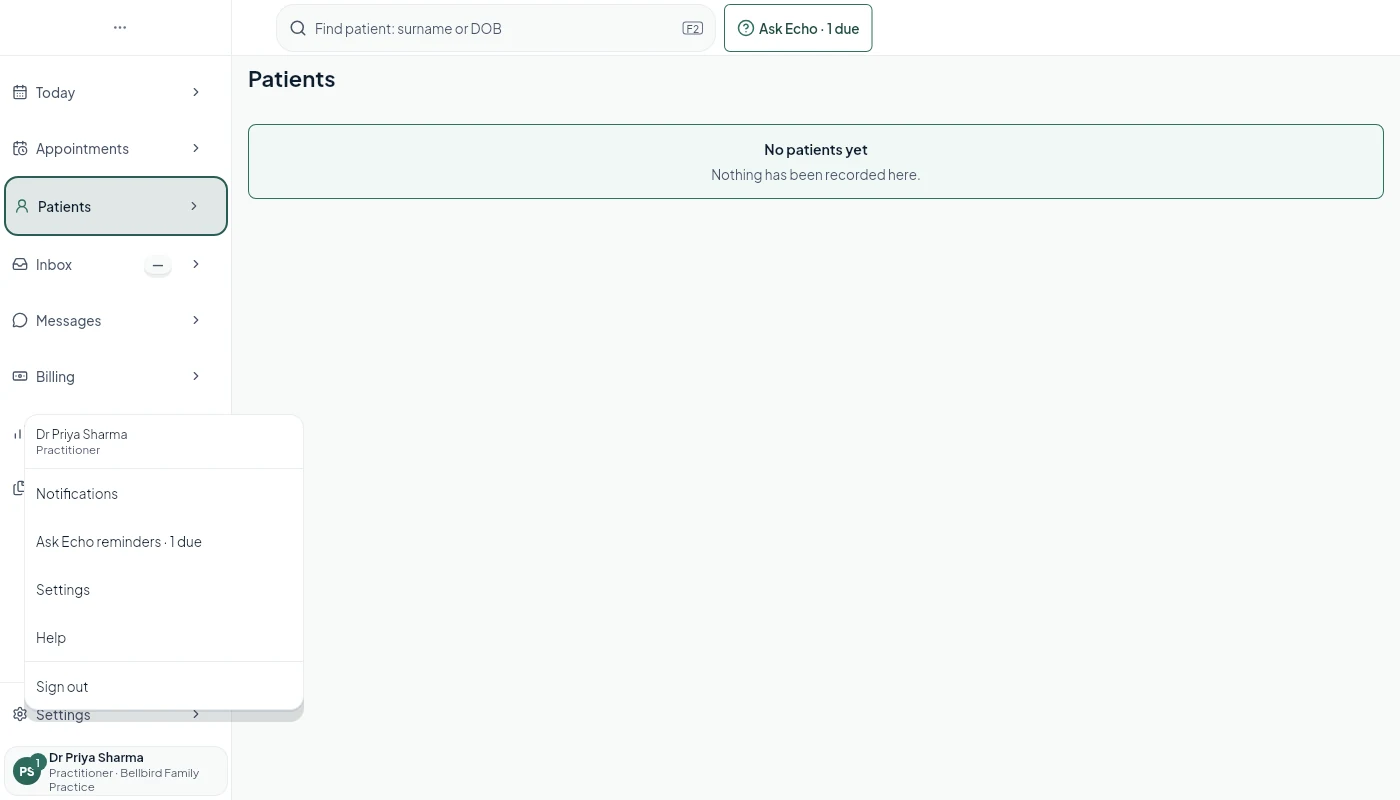
Ask now, answer later. Save a question with a schedule, and when it’s due, the Ask Echo button tells you, on every page.
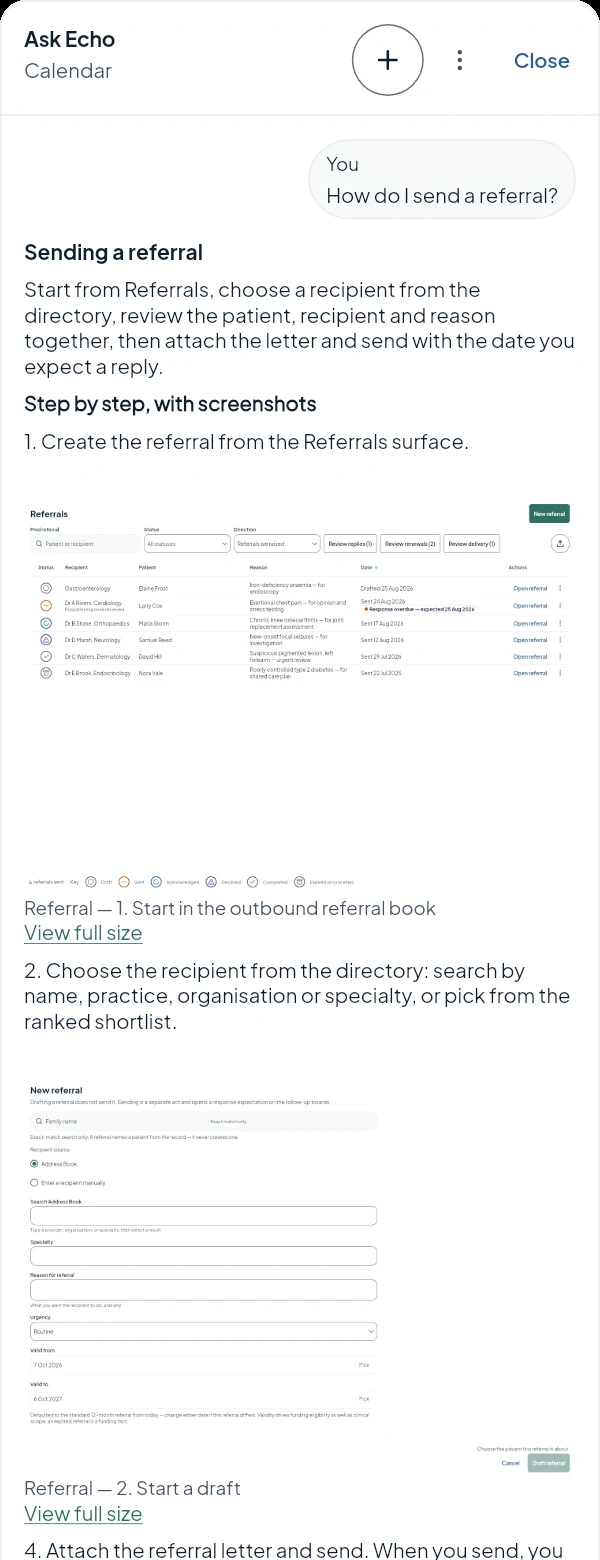
And how-to questions come back as steps, with each screenshot beside the step it shows.
The AI drafts. Software checks. A person decides. Echo One is coming soon.
The walkthrough
A morning with Ask Echo.
Six questions a clinician asks before ten o’clock, and what comes back. Scroll, or play it through.
Four people, in order, with who has already arrived and the time Echo checked. Each one opens its booking. No dashboard to find, no list to filter.
Stays yours: nothing to approve. It is information, so it comes back as information.
08:04
Alex Morgan’s latest results
The values are the answer. No extra click to read them.
Each value comes back with its unit and range, exactly as the laboratory sent it, with the laboratory’s own flags marked as the laboratory’s. You can see straight away which reports are final and whether anyone has reviewed them yet. The inbox is still one tap away for filing.
Stays yours: what a value means for this person. Echo restates the report; the clinical judgement is the clinician’s.
08:10
Am I behind on anything?
When a question could mean two things, it asks.
Overdue tasks, or everything still open? Rather than pick one and hope, Ask Echo asks, with both answers as buttons. One tap and you get the answer to the question you meant.
Why it matters: a wrong answer you have to notice costs more than one tap.
08:15
Refer Alex to Harbour Heart Clinic
A referral, one question at a time.
Reason, specialty, recipient, urgency: the things the referral form needs, asked one at a time, each with choices you can tap. Then the referral form opens with your answers in it, ready to check and change.
Stays yours: the letter, and sending it. Nothing is sent, signed or saved from the conversation.
08:20
Let me know when Alex’s results arrive
Ask now, answer later.
Ask Echo saves the question with a schedule: once, every day, weekdays or weekly. When it is due, the Ask Echo button says so on every page and the reminder appears with your notifications. Run it, and the answer comes from the records as they are at that moment.
By design: a reminder is only a reminder. Nothing reads the chart in the background; the answer is fetched when you run the question.
08:30
How do I send a referral?
Help, with the screen beside the step.
How-to questions come back as plain steps from Echo’s reviewed help. Where a step-by-step guide covers the task, each screenshot sits under the step it shows, and opens full size.
No hunting: help for the page you are on, without leaving it.
Screens are from Echo One in development, shown with made-up example data.
Why this is different
Built in, not bolted on.
An assistant added on top of someone else’s system sees only what that system lets it see. Ask Echo works inside one data model, one permission model and one audit log.
The AI drafts. Software checks. A person decides.
The model reads your question and proposes what to look up. Software checks that proposal against your permissions and the rules before anything is read. The model never acts directly.
It answers from your records.
Appointments, tasks, results, medicines and letters come from the practice’s own record, with the time it checked and the source one tap away.
It asks instead of guessing.
When a question could mean two things, or a name could be two people, Ask Echo asks. It never picks a patient for you.
Information comes back as information.
A value, a list or a time is shown in the answer. Only a form opens elsewhere, because a form is yours to finish.
Your role decides what you see.
The same question can bring back a different answer for reception and for a clinician, because each answer is read with the asking person’s own access.
Tap, don’t type.
After an answer, the next likely questions are buttons. Each one is a fixed, plain question, asked exactly as if you had typed it.
What it won’t do
The responsibility stays visible.
It doesn’t send, sign, book or save anything from the conversation. Forms open for you to check and finish.
It doesn’t guess which patient you mean.
It restates what the record says and leaves the clinical judgement to you.
A scheduled question doesn’t read the chart in the background.
Review, testing and safeguards reduce risk; they don’t eliminate errors. A confident answer is still an answer to check.
Echo One is coming soon.
By invitation. Echo is pre-release, and we are looking for early adopters. Join the waiting list, or apply to be a design partner.
Optional analytics cookies. Google Analytics runs only if you allow it. Echo's cookie-free operational measurement is explained separately. How measurement works