

A narrated walk through the task, one step at a time, on the real screen.
Echo One Learning Centre
Your team learns it on the real screens.
Every lesson is built from Echo One’s own task guides and the screens of the release you run. A guided tour, a practice run, a check and a certificate for each task, for every role in the practice.
For practice staff · signed in with your Echo One account
 Film coming soon
The same steps as a page to skim or print, with the help articles that go with it.
Click through the task yourself on a practice screen. No real patient.
Six kinds of question, then a certificate anyone can verify.
01 · Home
Watch, then do.
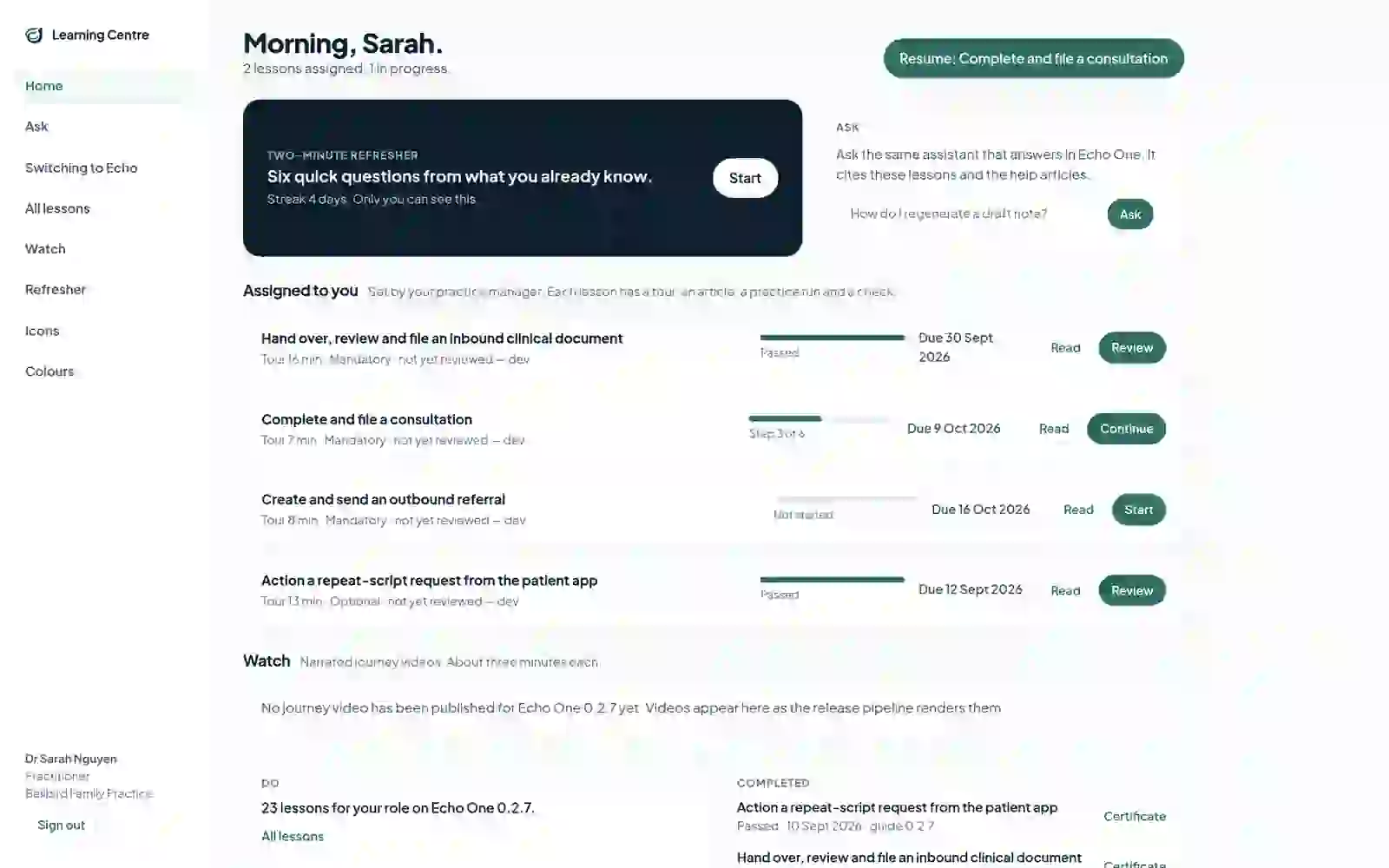
What it doesOpens on what your practice manager has asked you to learn and when it’s due, the narrated journey films, and every lesson for your role.
What it means for you
- New staff know exactly where to start.
- Nobody hunts through a manual for the one task they need.
- Finished lessons keep their certificates in one place.
02 · Guided tour
Learn the task where it happens.
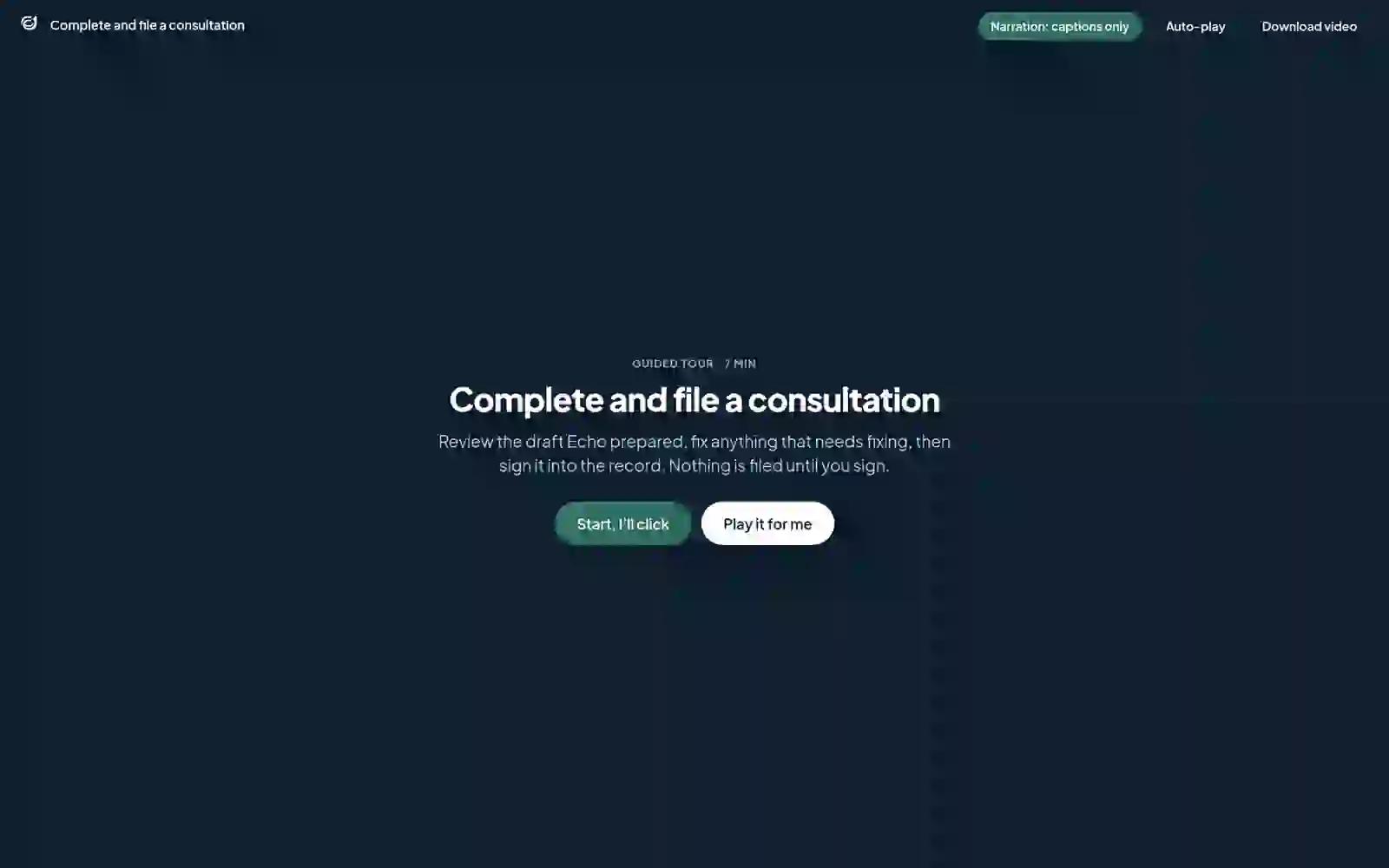
What it doesSpotlights each step on the actual Echo One screen, with one spoken line per step. Works from the keyboard, and marks the points where you should stop and check before going on.
What it means for you
- Training looks exactly like the system you use.
- Stuck on a step? “Ask about this step” opens help about that step.
- Download the tour as a video to share.
03 · Try it yourself
Practise without touching a record.
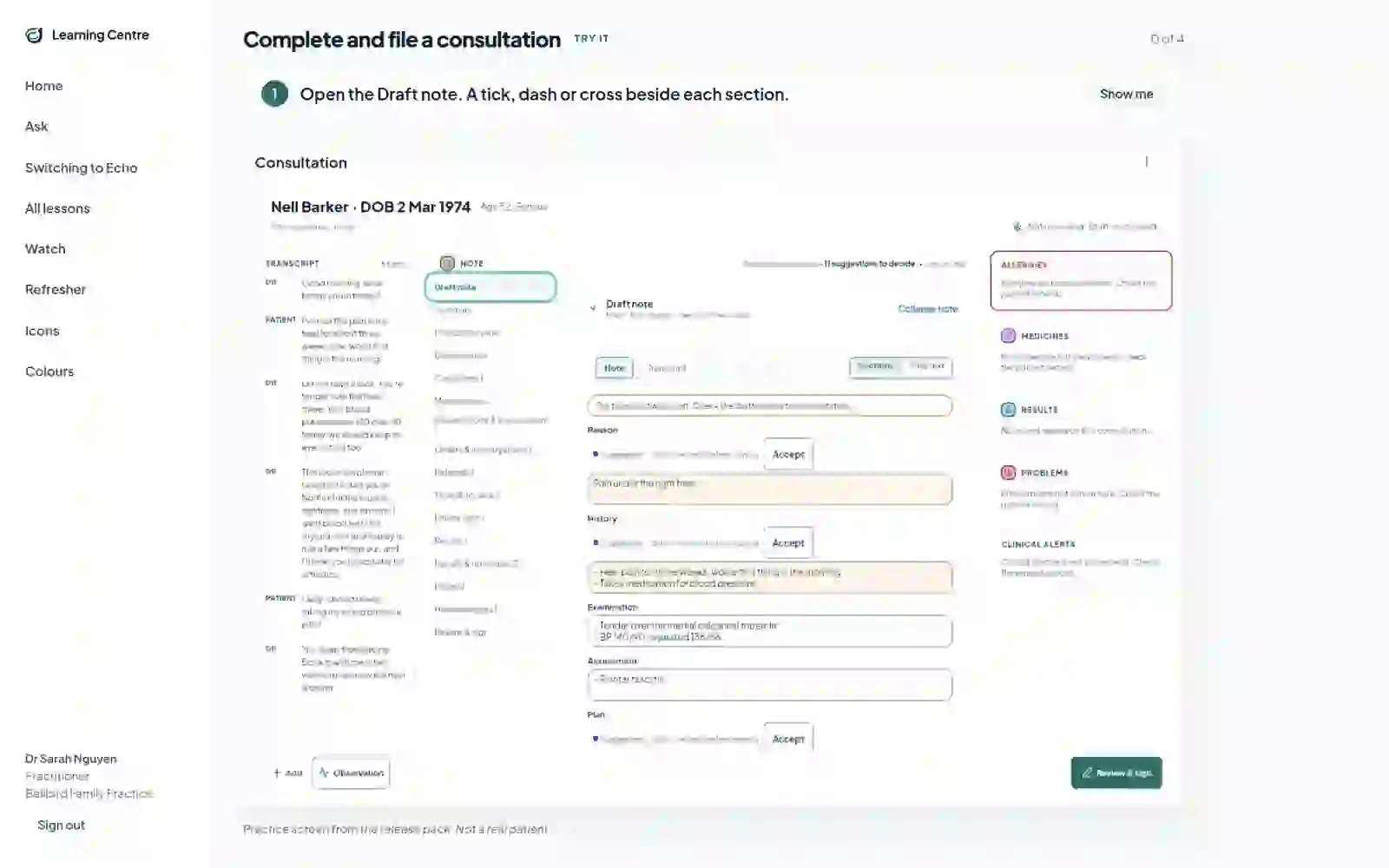
What it doesAsks you to find each control yourself on a practice screen. A wrong click gives a gentle shake, and “Show me” points to the right place.
What it means for you
- Confidence before the first real patient.
- Every practice screen is labelled: not a real patient.
04 · Check and certificate
Six ways to check. One certificate.
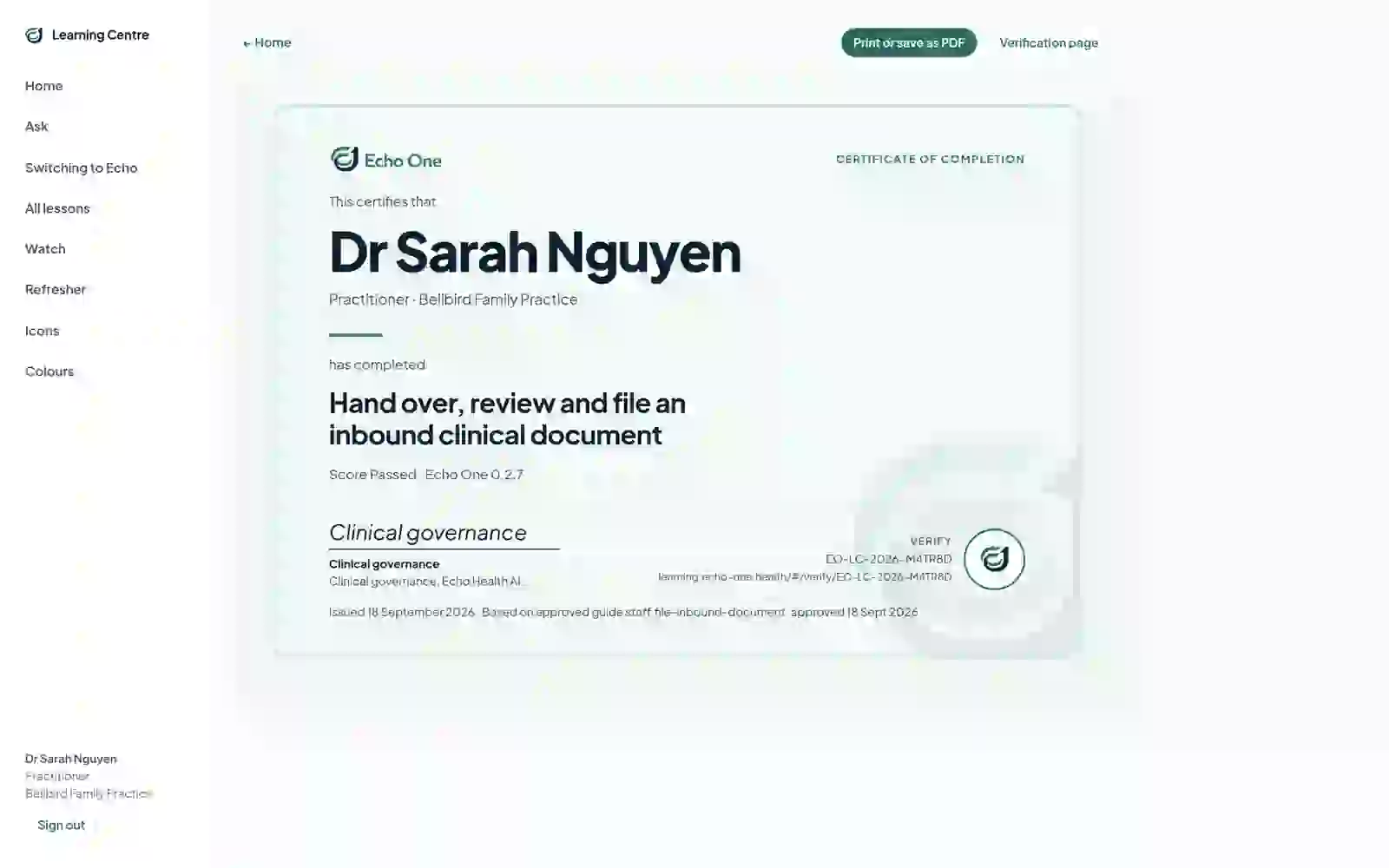
What it doesGenerates a check from the lesson: step order, when to stop, outcomes, exceptions, spot the control, and a timed round. Pass four in five and a certificate is issued, printable, with a link anyone can use to verify it.
What it means for you
- Evidence that each person has completed the tasks their role needs.
- You see which questions you missed, and can watch the tour again.
05 · Team
Know who’s done what. Not their answers.
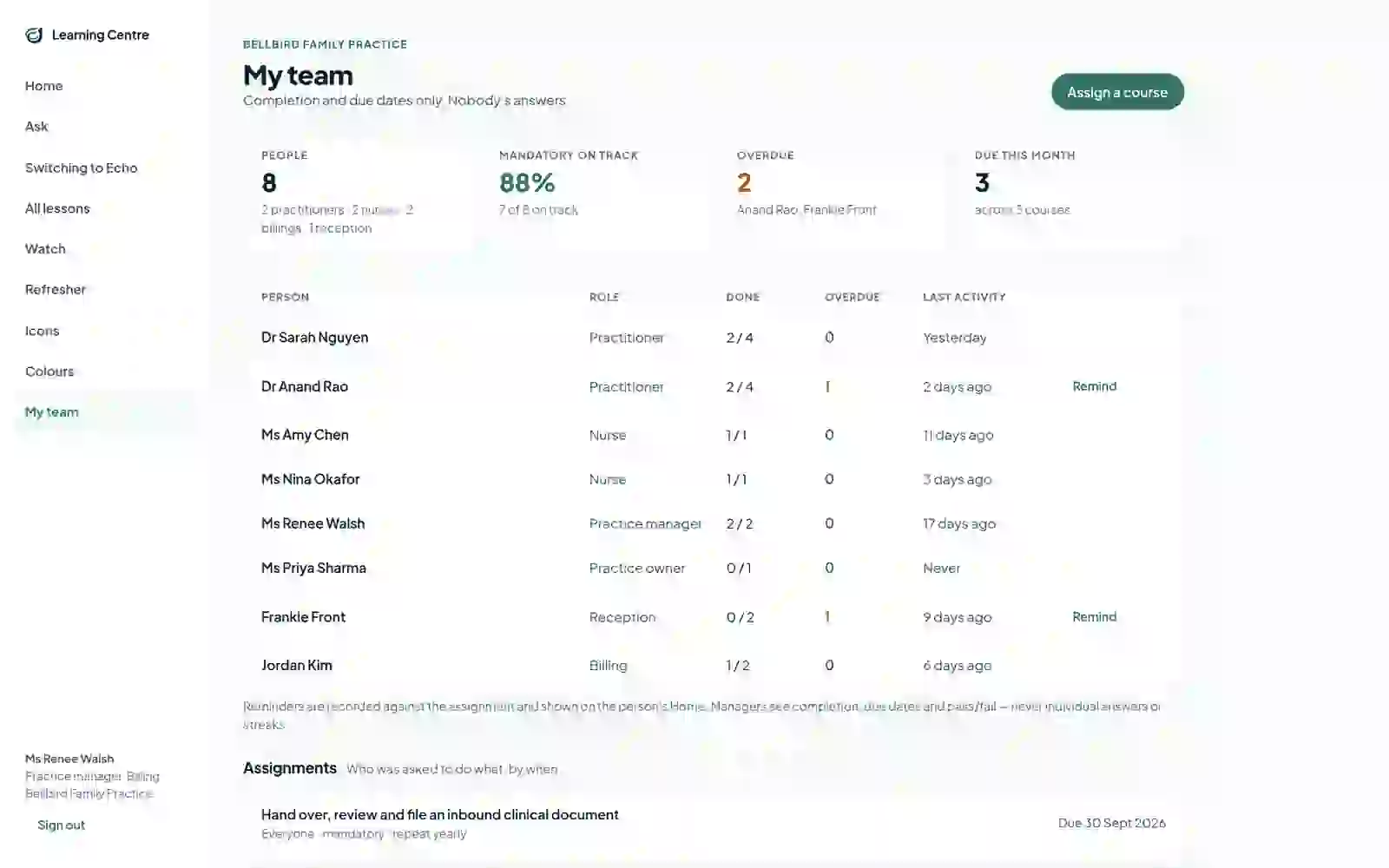
What it doesShows the practice manager completion and due dates for their own practice, with Assign a course and Remind.
What it means for you
- Onboarding a new receptionist is a list, not a memory.
- Refresher streaks are private to each person.
- Completion and due dates only. Nobody’s answers.
06 · After the course
It keeps going after day one.
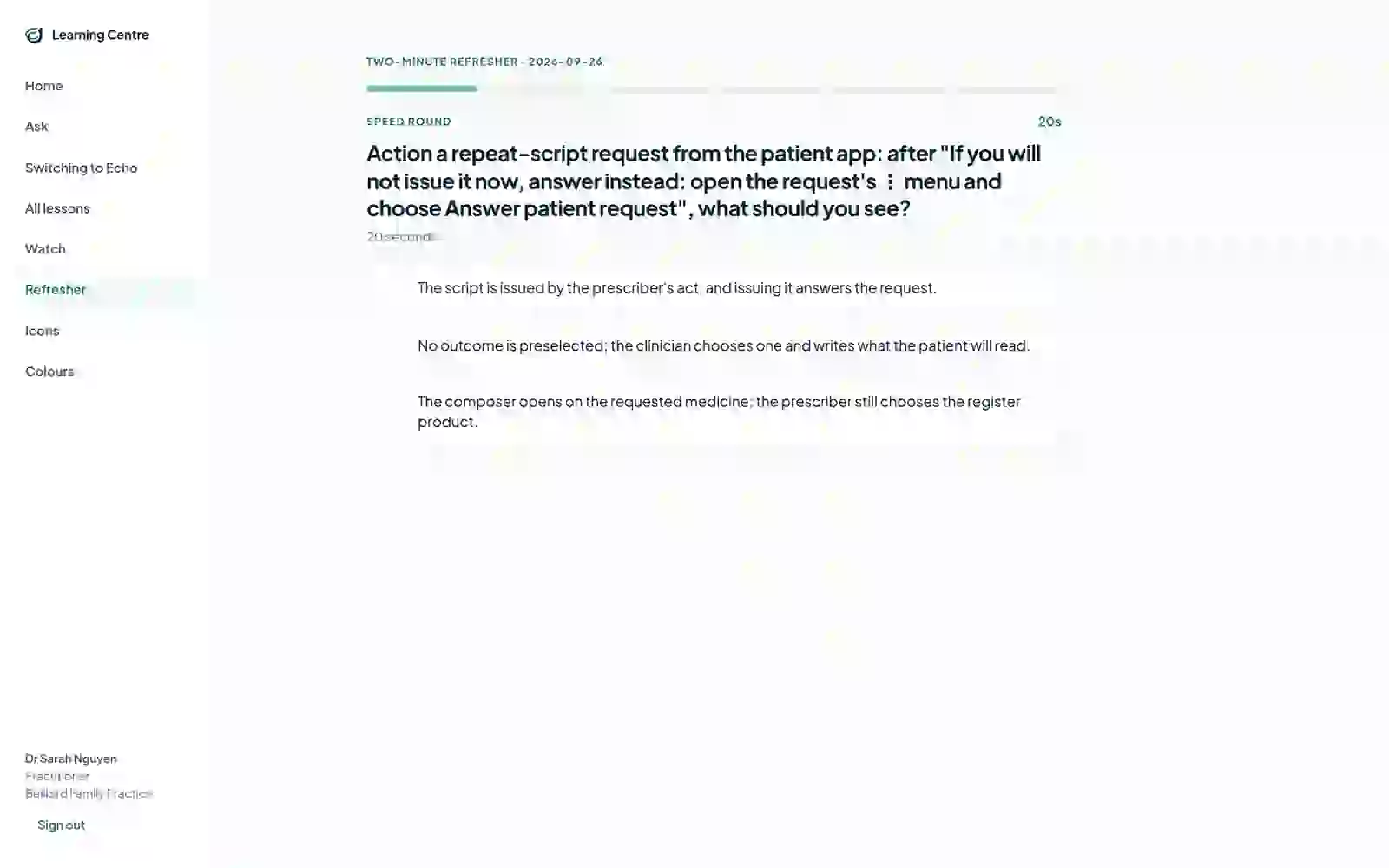
What it doesA short daily refresher drawn from courses you’ve passed, with a streak only you can see. A switching guide that maps what you did in your previous system to what you do here. And Ask, which answers only from reviewed Echo guides and help articles for your version, with “Walk me through it” to open the lesson.
What it means for you
- Skills stay fresh without another course.
- Staff coming from another system learn the differences, not everything from scratch.
Kept current
When Echo One changes, the lessons do too.
- Each lesson is built from a signed-off task guide and the screens captured from the release you run.
- A lesson only goes live when every one of its screens matches that release. Out-of-date lessons say so.
- When a screen changes, the tour and its film are rebuilt from the new screens. New wording goes to a person for review first.
- Some lesson wording is still being reviewed; those lessons are marked until it is.
Next
See how your team would learn Echo One.
We’ll show you the Learning Centre for your roles.